
Turbo VPN - Secure VPN Proxy
Innovative ConnectingTools
4.7204.68K Reviews
- Version
- 4.3.0.2
- Installs
- 500.00M
- Age Rating
- Everyone
Screenshots



Our Review of Turbo VPN - Secure VPN Proxy
 Analysis by Appyee
When I recommend a VPN to someone trying one for the first time, I start with a simple question: what do you want it to do today? If the answer is “give me an easy way to route my phone’s internet connection through a VPN,” Turbo VPN - Secure VPN Proxy is built around an uncomplicated connect-first experience. That can make the first step feel manageable, but it is still worth understanding what a VPN can and cannot do before relying on one.
What to expect from a one-tap VPN
Turbo VPN is a free tools app from Innovative Connecting. Its central idea is easy to grasp: connect through the app when you want a VPN, then use your phone as usual. The app has a 4.7 average from around 9.9 million ratings and more than 100 million installs, so it is a familiar option for people browsing the VPN category. That popularity is useful context, but it is not a substitute for deciding whether its approach suits your needs.
A VPN can help protect traffic between your device and the VPN service, especially when you are using a network you do not control. It does not make every online action anonymous, prevent every kind of tracking, or guarantee that a website is safe. I find this distinction important: a VPN is one layer in a sensible privacy routine, not a replacement for careful account security, app permissions, or caution with suspicious links.
The app is rated for Everyone and is free to install, with optional in-app purchases ranging from $0.99 to $69.99 per item. That makes it accessible to try, though “free” should not be confused with “without trade-offs.” Ads, available connection choices, and the temptation to upgrade can all affect how comfortable it feels in regular use. I would test it during ordinary browsing before deciding whether a paid option is worth considering.
From installation to a useful first connection
For a first session, I would install the app from the relevant app store, open it, and take a moment to read any prompts before tapping connect. The current version is 4.2.9.6, and the stated Android minimum is 6.0. Once you reach the main connection screen, the practical first test is not a complicated speed benchmark: connect, open a familiar website or app, and check that it loads normally.
That small check gives you a concrete result. If the page loads and the VPN remains connected, you have confirmed that the basic workflow works on your device and network. If it does not, disconnect once and retry on a different connection, such as switching from public Wi-Fi to mobile data. This helps separate a local network problem from an issue with the VPN connection without changing several settings at once.
For a realistic everyday example, imagine settling into a café and needing to check a travel reservation or send a work document. I would connect before opening the account, complete the task, and then disconnect when I no longer need the VPN. That keeps the routine easy to remember and gives you a clear point to notice if a site asks you to sign in again or behaves differently while connected.
What changes during browsing and streaming
VPN performance is not a fixed quality of the app alone. The route between your phone, the VPN server, and the service you are using can affect responsiveness, and a nearby or less busy connection may feel different from another choice. A page that loads slowly does not automatically mean your phone or account is at fault. I would first compare the same task with the VPN on and off, then decide whether the extra privacy is worth any slowdown for that activity.
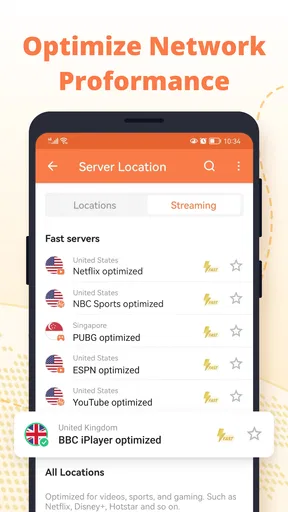
Streaming is a particularly uncertain use case. A VPN may change the apparent network location, but streaming services can restrict VPN traffic or vary what they show. I would not choose Turbo VPN solely on the assumption that it will unlock a specific show or remain reliable for every service. If streaming is the main reason you want a VPN, check your own service’s rules and test the exact app you use rather than relying on a general promise about access.
Likewise, a country choice is not a magic fix for every website. Some sites use account location, payment details, device settings, or their own detection systems in addition to the network address. If a page fails after connecting, try the ordinary version of the site first, check that the VPN connection is active, and avoid repeatedly changing locations while a payment or login is in progress. For banking or other sensitive accounts, consistency can be more useful than trying to appear to be somewhere else.
Getting Started with Turbo VPN
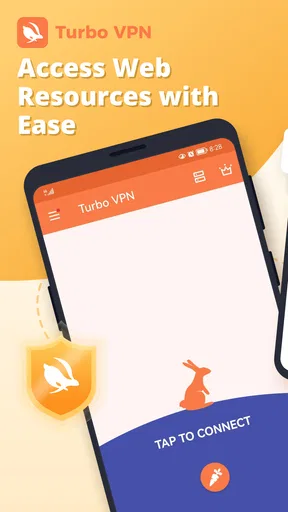
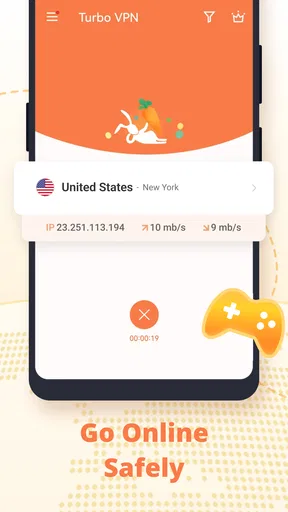
First things first, downloading and setting up the app was a breeze. It’s available on both Android and iOS, and the download links are easy to find on their website. Once installed, the interface is as straightforward as it gets. You’re greeted with a friendly rabbit mascot jumping over a button that connects you to the VPN. Just a tap and you’re up and running!
I’ve tried a fair share of VPNs, and the simplicity here is refreshing. There’s no need to fiddle with complicated settings; it’s kind of like having a personal security guard for your internet connection without the hassle. For those of us who aren’t tech wizards, this really is a blessing.
Performance and Speed
Now, let’s talk about what really matters: performance. I was pleasantly surprised by the speed. VPNs can sometimes slow down your connection, but Turbo VPN lived up to its name. Browsing, streaming, and even downloading were smooth. I tested it on a few different servers, and while there was a slight dip in speed with some, it wasn’t anything that would make me pull my hair out.
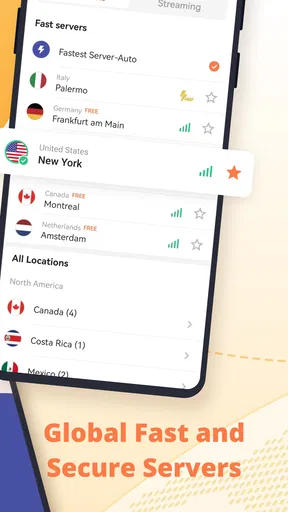
The app offers a variety of servers across multiple countries. This is a big plus if you’re trying to access content that might be geo-restricted in your area. I could happily stream my favorite shows without any annoying buffering. For a free app, the performance is pretty impressive.
Security Features
Security is where Turbo VPN really shines. The app uses advanced encryption to keep your data safe from prying eyes. Whether you’re using public Wi-Fi at a coffee shop or just browsing at home, it’s nice to know your information is locked down tight. It’s like having a secret tunnel for all your online activities.
One thing I appreciated was the app’s no-log policy. They’re pretty clear about not storing your browsing data, which is always a relief. In the world of VPNs, privacy is king, and Turbo VPN seems to have its priorities straight.
User Experience and Support
The user experience is quite pleasant. The app’s design is clean and intuitive, making it easy to navigate. Even if you’re new to VPNs, you’ll get the hang of it in no time. The connection is stable, and switching between servers is a breeze.
When it comes to support, Turbo VPN offers a decent FAQ section on their website. However, if you’re in need of more personalized help, their support team is just an email away. I had a minor hiccup with the app at one point, and their response was prompt and helpful.
Free vs. Premium
Turbo VPN offers both free and premium versions. The free version comes with ads and limited server options, but it’s a great way to dip your toes in the water. If you’re serious about your privacy and want a broader range of servers, the premium version might be worth considering.
It’s reasonably priced and offers additional features like faster speeds and access to more servers. Plus, it’s ad-free, which is always a nice touch. If you’re someone who spends a lot of time online and values security, the premium version could be a worthwhile investment.
Choosing it over other VPN approaches
Compared with a VPN bundled into a browser, a phone-wide VPN is more useful when you want protection beyond browser tabs, such as when using another app on the same network. A browser-only option can be simpler if you only care about web browsing and do not want a separate connection to manage. On the other hand, someone who needs detailed network controls or a carefully documented privacy setup may prefer a service that makes those choices and its technical documentation central to the experience.
I would also separate casual convenience from high-stakes privacy. For occasional use on shared Wi-Fi, a straightforward connection button is appealing. For work that involves confidential material, sensitive research, or a strict organizational security policy, I would use the VPN approved by the employer or choose a provider after reviewing its privacy practices and terms directly. Familiarity and a large audience do not, by themselves, prove that a service meets a particular threat model.
A practical habit is to treat the connection as a switch with a purpose. Connect before using an unfamiliar network, confirm the app shows an active connection, and disconnect when you are done if you do not need it continuously. If a task depends on a stable location or uninterrupted connection, such as a payment or a video call, test the app beforehand rather than discovering a routing issue halfway through.
Small checks that prevent frustrating surprises
When something seems wrong, change one thing at a time. First check whether the VPN is connected; then reload the affected page. If only one service is failing, try it without the VPN to see whether the problem is specific to that service’s handling of VPN traffic. If everything is slow, compare with another network before assuming that a different server will solve it. This simple sequence is more useful than tapping through options at random.
Keep an eye on context, too. A VPN can change how a site recognizes your connection, so a service may request a fresh login, show a security check, or behave differently than it does at home. That can be normal, but do not treat unexpected prompts as automatically trustworthy. Navigate to the service in the usual way and verify the address and account before entering credentials.
There is also a comfort trade-off with any free app supported by ads or optional purchases: interruptions and upgrade prompts may make frequent use less pleasant than occasional use. I would pay only if the available paid option solves a problem I actually encounter, such as wanting more choice or fewer interruptions, rather than upgrading because a VPN feels more secure simply by being paid. The price range for in-app purchases is broad, so review the purchase details in the app before confirming anything.
People often wonder whether they should leave a VPN connected all day. My answer is to base that choice on how you use your phone and how the connection affects your apps. If a particular site or service stops working, disconnecting temporarily can be a reasonable troubleshooting step; reconnect afterward if you still want the VPN for the next task. For a first-time user, a deliberate connect-use-disconnect routine is easier to understand than leaving a new tool running without knowing when it helps.
Turbo VPN is a good fit for someone who values a simple starting point, wants to try a mobile VPN without an upfront purchase, and is comfortable checking how it behaves with their own websites and apps. I would skip it if you need guaranteed access to a particular streaming library, advanced controls, or a VPN selected for a demanding privacy or workplace requirement. In those cases, a more specialized service—or the tool your organization already trusts—may be the better match.
All in all, Turbo VPN - Secure VPN Proxy is a solid choice for anyone looking to enhance their online privacy without breaking the bank. Whether you’re streaming, browsing, or just trying to keep your information safe, this app has got you covered. It’s easy to use, reliable, and offers good value, especially for a free app. So, why not give it a spin and see if it’s the right fit for you?
Verdict
Strengths of Turbo VPN - Secure VPN Proxy
- Fast connection speeds for smooth browsing.
- User-friendly interface with easy navigation.
- No registration required for quick access.
- Supports multiple platforms and devices.
- Offers a variety of server locations worldwide.
Limitations of Turbo VPN - Secure VPN Proxy
- Contains ads that can disrupt user experience.
- Limited features available in free version.
- Some servers may become overcrowded.
- Connection drops occasionally in peak hours.
- Privacy policy is not fully transparent.
Similar Picks in This Category
View All
Google LLC4.0

Gboard - the Google Keyboard
Google LLC4.5

Google Play services
Google LLC4.3

Google Play Store
Google LLC4.9

Files by Google
Google LLC4.5

SHAREit: Transfer, Share Files
Smart Media4U Technology Pte.Ltd.4.3
Frequently Asked Questions
What is Turbo VPN and how does it work?
Turbo VPN is a mobile application designed to provide users with secure, private internet access. It works by encrypting your internet connection, making it difficult for hackers or third parties to access your data. The app uses a network of global servers to mask your IP address, allowing you to browse anonymously and access geo-restricted content.
Is Turbo VPN free to use, and are there any in-app purchases?
Turbo VPN offers a free version with basic features, including limited server access and slower speeds. For enhanced features, such as faster connections, more server locations, and an ad-free experience, users can opt for a premium subscription through in-app purchases. This subscription provides a more comprehensive and unrestricted VPN service.
How secure is Turbo VPN for protecting my data?
Turbo VPN employs industry-standard encryption protocols to protect your data while browsing. This means your online activities remain private and secure from potential cyber threats. However, users should be aware that no VPN can offer 100% security. It is always recommended to use additional security measures, such as antivirus software, for optimal protection.
Can Turbo VPN be used to access streaming services like Netflix?
Turbo VPN is capable of bypassing geo-restrictions, allowing you to access content from various streaming services like Netflix. However, the effectiveness can vary, as streaming platforms continuously update their VPN detection measures. Premium users often experience better success rates due to access to a broader range of servers.
What platforms and devices are compatible with Turbo VPN?
Turbo VPN is available for both Android and iOS devices, ensuring compatibility with a wide range of smartphones and tablets. The app is designed to be user-friendly, with a simple interface that makes it easy to connect to a VPN server with just one tap. Regular updates help maintain compatibility with the latest operating system versions.
